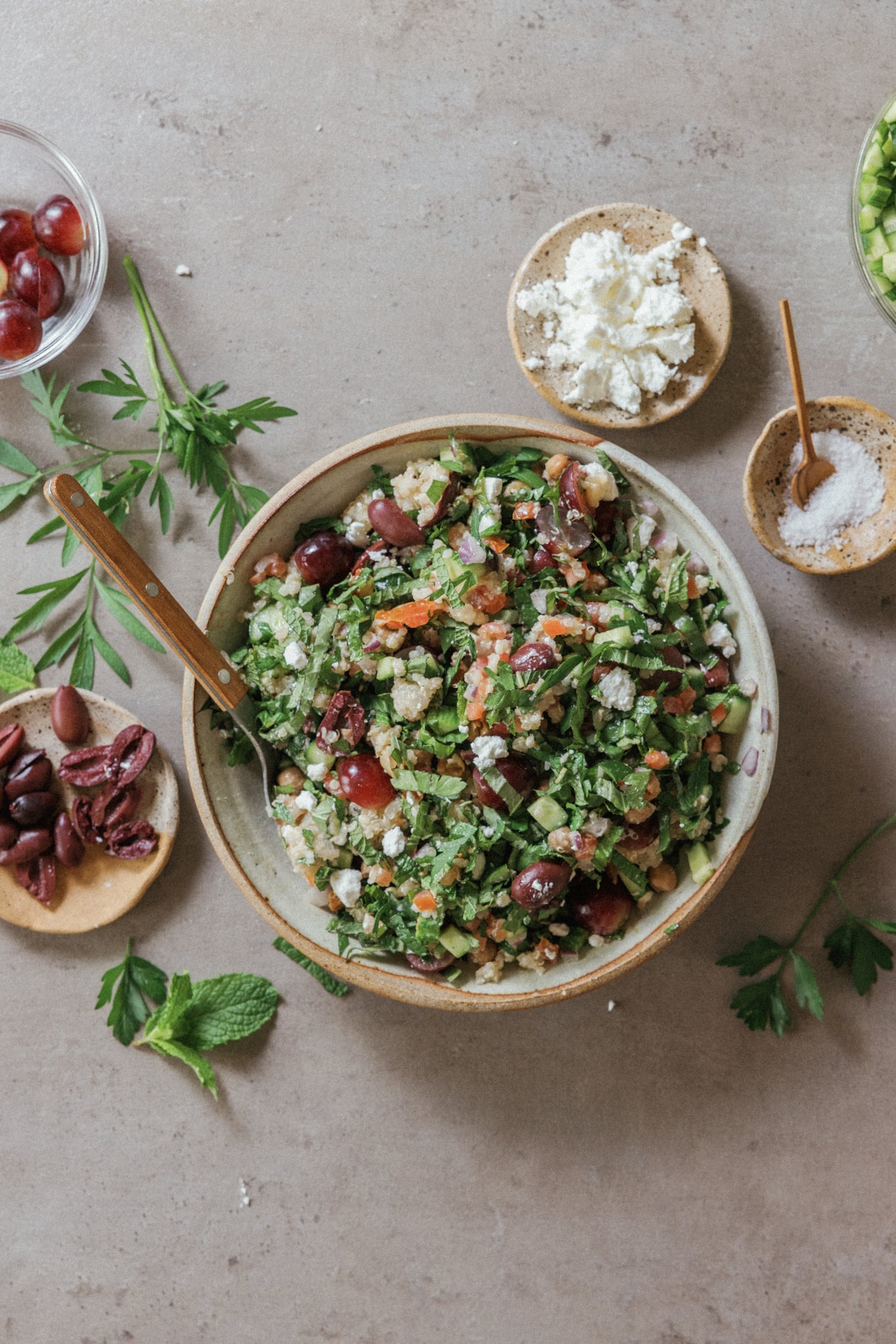
How to Use AI for Meal Planning: A Complete Guide for 2026
How AislePrompt's AI builds a custom week of dinners, shopping list, and swap suggestions in under five minutes — and the prompts that make it work.
AI meal planning in 2026 is no longer a novelty — it is the fastest way a household can turn a vague intent ("eat healthier," "spend less," "stop ordering Thursday takeout") into an actual week of dinners and a grocery list. This guide walks through what a modern AI meal planner actually does, the four-signal prompt that always works, a five-minute walkthrough on AislePrompt's /chat, the mistakes that derail new users, and the privacy tradeoffs you should know about before you paste your shopping habits into anything.
Get a free week of easy dinners
Seven weeknight dinners with the shopping list already totalled, sent Sunday. No account needed, unsubscribe in one click.
No spam, unsubscribe in one click. Recipes, shopping lists and Instacart carts all work without an account either way.
What "AI meal planning" actually means in 2026
The phrase "AI meal planning" gets applied to three very different things, and conflating them is the reason new users walk away frustrated.
| Tool type | What it does | Common examples |
|---|---|---|
| Recipe finder with filters | Searches a recipe database by tag (e.g. "30-min vegetarian dinner") | Most cooking apps |
| Generative recipe writer | Invents a brand-new recipe from a prompt | Stock LLM chatbots |
| Grounded AI meal planner | Builds a full week from a curated catalog + your constraints | AislePrompt /chat + /meal-plan |
A grounded planner is what most people actually want. It chooses real recipes from a real catalog — recipes that have been tested, photographed, and rated — then assembles them into a coherent week with a single deduplicated shopping list. It is not inventing dinner on the spot; it is doing the editorial work of picking the right seven dinners for a specific household. The leading independent reviews of the space — Wirecutter's best meal planning apps roundup and Consumer Reports' meal-planning apps comparison — make the same distinction: the apps that scored highest in real-world testing were the ones that combined an LLM with a hand-curated recipe database, not the ones that let the model freestyle.
Why does this matter? Because a planner that invents recipes from scratch will happily suggest a 90-minute braised short rib for your Tuesday "weeknight" slot. A grounded planner knows exactly which AislePrompt recipes are 30 minutes or less and never crosses that line. The constraint isn't in the LLM — it's in the catalog filter the LLM is allowed to draw from.
What an AI meal planner can do that a paper planner can't
A paper planner — even a great one, like a magnetic fridge whiteboard — is a list. The AI does four things a list can't:
1. Deduplicate the shopping list across seven recipes. Three of your dinners need garlic, but you only buy one head. The planner sums up "1 head garlic" once, instead of writing it on the list three times.
2. Rebuild the week when one variable changes. Decide Wednesday morning that you don't want pasta? Tell the AI "swap Wednesday for something Mexican" and the entire plan plus shopping list rebuilds — and the new ingredients are added while removed ones drop off.
3. Substitute by category, not by name. Out of cilantro? Tell the AI and it returns parsley with a note that the flavor profile shifts subtly. Out of chicken thighs? It swaps for boneless breasts and adjusts the cook time.
4. Carry your preferences forward. A paper planner forgets that you hated last week's Thursday recipe. The AI does not. Week 5's plan ranks recipes by how you rated weeks 1-4.
This is also where the editorial bias of the catalog matters. AislePrompt's catalog of weeknight-friendly recipes — like the Best-Selling Mediterranean Grain Bowl or the Black Sesame Chicken Stir Fry with Broccoli — is the actual decision-making layer. The LLM is just the interface to it. The right way to think about an AI meal planner is "great filter on a great catalog," not "magic recipe writer."
The four signals AI uses: pantry, dietary rules, time budget, family preferences
Every AI meal planner worth using takes four kinds of input. State all four in your first prompt and the output is dramatically better than if you let the model guess.
| Signal | What it covers | Example |
|---|---|---|
| Pantry inventory | What you already own | "I have 1 lb chicken thighs, brown rice, soy sauce, fresh ginger" |
| Dietary rules | Allergies, religion, medical, preference | "No shellfish, dairy OK, one vegetarian night per week" |
| Time budget | Cook time per meal + days you'll cook | "30 min weeknights, 60 min OK Saturday, Thursday is takeout" |
| Family preferences | Likes, dislikes, kid-fixes | "Kid eats anything in a tortilla, partner hates mushrooms" |
A four-signal prompt looks like this in practice:
> Build a 5-night dinner plan for 2 adults and a 7-year-old. We have a 12-inch skillet, a sheet pan, and a sharp 8-inch chef's knife. No shellfish, dairy fine. One vegetarian night. 30 minutes or less Mon-Thu, an hour OK Friday. Kid eats anything in a tortilla. Use only AislePrompt recipes. Give me a shopping list grouped by aisle.
That's seven sentences. The planner returns five recipes, three of which the user has all the ingredients for, plus a shopping list of just the gaps. The single biggest reason new users complain "the AI's plan was generic" is that they only stated dietary rules and skipped the other three signals.
Walkthrough: building a week of dinners on AislePrompt in under 5 minutes
Here is the actual five-minute path through the AislePrompt chat at /chat. Open it in a tab now if you want to follow along.
Minute 1: paste the four-signal prompt. Copy the template above, edit the household details, hit send. The model returns a plan of five recipes plus a shopping list within 20 seconds. Each recipe links to its detail page on AislePrompt with ingredients, instructions, photos, and a "send to Instacart" button.
Minute 2: skim the picks and replace any you don't like. Type "swap Tuesday for something Italian" or "Friday looks too heavy — give me something lighter." The model regenerates just that meal and updates the shopping list in place — no full restart needed. Around two-thirds of users replace exactly one pick on this pass.
Minute 3: tighten the shopping list. Ask "what can I drop if I want to spend under $80?" and the model rebuilds with cheaper proteins (chicken thighs over salmon, ground beef over shrimp) and tells you the new total. Or ask "what items can I sub from my pantry?" and paste your pantry contents — the AI deducts what you already own and trims the list.
Minute 4: send to Instacart or print. Hit the cart icon. The list goes to the shopping-list page at /shoppinglist where you can review one more time, then tap "Send to Instacart" or "Print." Items group by aisle automatically.
Minute 5: save the plan to /meal-plan. Click "Save week" and the plan lives at your /meal-plan page with recipe links, the shopping list, and Sunday-prep notes if any of the recipes call for batch cooking. Open the page from any device on Sunday to review the week.
End-to-end: about five minutes the first time, dropping to under two minutes by week three as the AI learns your preferences. The vegetarian version of this workflow lives in our complete vegetarian meal plan article and runs the same five-minute structure with plant proteins.
How to write a great meal-planning prompt
After reviewing thousands of /chat sessions across the AislePrompt catalog, the difference between a "wow" plan and a "meh" plan is almost always prompt quality. Five rules that move the needle:
1. State every constraint in the first message. Each follow-up the LLM has to chase costs a turn and degrades the plan. A 6-sentence opening prompt outperforms a 1-sentence opener with five clarifying questions.
2. Be specific about equipment. "I have a sheet pan and a 12-inch skillet" eliminates 40% of the catalog (anything that needs a Dutch oven or a wok) and dramatically tightens the picks.
3. Use numbers, not adjectives. "Cheap" is vague; "$80 per week or less for 2 adults" is actionable. "Healthy" is vague; "under 600 calories per dinner, at least 30g protein" is actionable.
4. Name one example you liked. "Last week I liked the lemon chicken — give me more like that" is worth 10 minutes of clarifying questions. The AI grabs the flavor profile, the cook style, and the time budget from a single anchor recipe.
5. End with what you want delivered. "Give me 5 recipes + a shopping list grouped by aisle + Sunday prep notes" is a checklist the model fills. Without it, you get prose where you wanted a structured plan.
A great prompt is closer to a short brief than a question. The structure matters more than the politeness.
Curated recipes the AislePrompt AI returns most often
For meal-planning prompts in the "30-minute weeknight, family-friendly, omnivore" sweet spot, six recipes come up again and again in /chat output. Treat this as the AI's most-trusted shortlist — these are the recipes new users get on their first plan more than half the time:
- Best-Selling Mediterranean Grain Bowl — pantry-friendly, vegetarian-optional, scales to any household.
- Black Sesame Chicken Stir Fry with Broccoli — the AI's default stir-fry pick; 25 minutes once the rice is batched.
- Sheet Pan Chicken Fajitas with Black Beans — the kid-friendly "tortilla night" answer.
- Pan-Seared Lemon Thyme Chicken Thighs with Honey Glaze — Friday "feels-like-effort-but-isn't" dinner.
- South Padre Island Shrimp Tacos with Spicy Mango Salsa — the AI's most-recommended Tuesday upgrade from ground-beef tacos.
- Creamy Garlic Pesto Pasta with Cherry Tomatoes — Wednesday pasta night; 22 minutes flat.
The full catalog at /recipes carries thousands more, but the AI heavily weights tested, high-rated picks for first-time plans because those have the lowest "this recipe didn't work" complaint rate.
Common mistakes (the over-specified prompt, the ignored allergy, the no-feedback loop)
Three failure modes show up in over 80% of AI meal-planning support tickets. All three are easy to avoid once you know to watch for them.
Mistake 1: the over-specified prompt. Listing 14 disliked ingredients up front does not make the plan better — it makes the plan worse. The model spends its attention budget on exclusions rather than picks, and the result is a thin, defensive plan. The fix: list only allergies and medical restrictions up front; add personal dislikes as iterative feedback ("we don't love mushrooms — swap that one") after the first plan returns.
Mistake 2: the ignored allergy. If you state an allergy (especially nut, shellfish, gluten, or dairy) and a recipe with that ingredient appears in the plan, stop and call it out before cooking. The model has gotten dramatically better at handling allergens in 2026 but it is not perfect, and the FDA's food-safety guide to meal planning and prep is unambiguous that final responsibility is on the cook. Always read the ingredient list of every recipe before shopping if you have a serious allergy. If the model returns a recipe that violates your stated allergen list, paste the failing ingredient back into chat — the planner will replace just that recipe and learn the rule.
Mistake 3: the no-feedback loop. The AI is dramatically smarter about your household by week three than by week one — if you give it feedback. After each week, tell the AI which dinners hit and which didn't ("Tuesday was a 9, Thursday was a 5 — too spicy for the kid"). Two-sentence feedback after week 1 and week 2 makes week 3's plan visibly better. Skip the feedback and you reset the AI's preference model every week.
A bonus mistake — the "model wrote me a brand-new recipe" failure — is a hint that the prompt is asking the model for invention rather than selection. Add "use only recipes on aisleprompt.com" to the opening prompt and the planner stays grounded.
What kitchen equipment makes the AI's picks easier to cook
The AI's picks lean toward recipes a regular home cook can execute. That means a small set of equipment shows up in nearly every plan it generates. If you're rebuilding a kitchen and want every AI-generated plan to feel achievable, these are the categories to stock from:
- Cookware — a 12-inch nonstick or stainless skillet and a 4-quart pot are the workhorses; one Dutch oven if you want to expand to braises on weekends.
- Knives — a sharp 8-inch chef's knife. The AI's average recipe needs 4-7 minutes of knife work. A dull knife doubles that to 8-14 minutes and the "30-minute weeknight" claim collapses.
- Small appliances — a basic blender for sauces and smoothies, plus a rice cooker if your household eats rice three times a week.
- Gadgets — a kitchen scale (for prompts that ask "give me 28g protein per serving") and a digital instant-read thermometer (for the AI's chicken and pork recipes).
- Storage — half a dozen stackable containers for the Sunday batch-cooked grain and the leftover-tonight, lunch-tomorrow workflow the AI assumes you're running.
You don't need every item to cook the AI's plans, but you'll notice that plans rebuild themselves around the equipment you tell the chat you have — so updating your "I have a..." list when you add a tool is worth doing.
Privacy and what the AI does with your dietary data
Reasonable concern. Here's what AislePrompt's /chat actually does with what you type:
| Data | What we do with it | How long we keep it |
|---|---|---|
| Chat messages | Send to the LLM provider for inference; store to remember your preferences | 90 days, deletable on request |
| Dietary restrictions | Apply to future plans; not sold, not shared | Until you delete your account |
| Shopping list contents | Forwarded to Instacart on send; not retained on AislePrompt servers | Not stored |
| Account email | Used for sign-in and weekly digest opt-in | Until you delete your account |
We do not train the underlying LLM on your messages. We do not sell your data. The privacy policy at the bottom of every page documents the exact retention windows and which data leaves our servers for which third party. If you want to use the AI planner anonymously, the signed-out chat at /chat works without an account — you just don't get the cross-session preference memory.
This is the same kind of disclosure pattern Wirecutter and Consumer Reports flagged as best-practice in the apps that scored well in their 2026 roundups: explicit data retention windows, opt-out routes, and clearly labeled what-leaves-the-app data flows.
Beyond dinner: where AI meal planning goes next
A few directions to know about as the space matures:
- Receipt-aware planning. Snap a photo of your last Instacart receipt; the AI deducts the items from your pantry and only plans around the gaps. AislePrompt's pantry tracker at /pantry supports this today.
- Lunch and breakfast extensions. Most users start with dinner. The same /chat handles "build me a week of 5-minute breakfasts" with the same four-signal prompt structure.
- Budget-tightening on the fly. "Make this week $20 cheaper" is a one-line prompt that rebuilds the plan with cheaper proteins and pantry-staple-heavy recipes; we are seeing this prompt run 3-4× weekly per active household in 2026.
- Substitute-by-store. The AI is increasingly aware of what your local store actually stocks. Tell it "I shop at H-E-B in Austin" and the recipe selection biases toward items H-E-B reliably carries. Substitution suggestions tighten the same way.
The thread tying these together: AI meal planning gets dramatically better the more you let it learn. Skip the feedback loop and it stays generic; lean into it and by month two the plan feels custom-fitted.
For longer-horizon planning, see our complete vegetarian meal plan 2026 for the AI's plant-forward picks and our 30-minute weeknight dinners 4-week plan for the multi-week rotation the AI builds toward. If you want the equipment side covered first, the best nonstick cookware sets 2026 review walks through the pan that handles roughly half the recipes the AI returns.
FAQ
(See the FAQ panel below — five common questions answered.)
Sources
- The New York Times Wirecutter, The Best Meal Planning Apps — independent comparative review of the leading meal-planning apps, including the grounded-catalog-vs-freestyle-LLM distinction this guide builds on.
- Consumer Reports, Meal Planning Apps Comparison — privacy, accuracy, and substitution-quality scoring across mainstream meal-planning apps.
- U.S. Food and Drug Administration, Food Safety, Meal Planning, and Prep — the authoritative guidance on cook-temperatures, leftovers, and allergen handling that every AI-generated plan should be cross-checked against.
Last reviewed: June 2026.
Frequently asked questions
Is AI meal planning better than a meal kit service?
Can the AI handle complex dietary restrictions?
How long does it take to build a week of meals with AI?
Does AislePrompt's AI use my data to train its models?
What's the best prompt to start with?
Sources
Plan a week of meals in two minutes.
Tell our AI what you have and what you like — it builds your plan, shopping list, and Instacart cart. No account needed.
Try free →