What to Cook This Week: An AI Meal Planning Guide for Busy Households
A five-minute weekly workflow — describe your household in one prompt, get five real dinners and a shoppable list back. Here's how /meal-plan and /chat work together, what a real AI-generated week looks like, and the habits that keep the plan alive past week three.
You want to know what to cook this week. Not "what could I cook" — what to actually make Monday through Friday for the people at your table, on a budget, in the time you actually have between work and homework. This guide is the exact AI-driven workflow: how to spend 90 seconds instead of 90 minutes planning, which five constraints matter, how /meal-plan and /chat work together, and the sample week — with real recipes and a single Instacart cart — that our meal planner produces for a family of four when you ask "what should I cook for dinner this week?"
Get a free week of easy dinners
Seven weeknight dinners with the shopping list already totalled, sent Sunday. No account needed, unsubscribe in one click.
No spam, unsubscribe in one click. Recipes, shopping lists and Instacart carts all work without an account either way.
Introduction: The "what's for dinner" decision fatigue is real
The typical American home cook makes 220 dinner-planning decisions a year. Roughly 60 of them fail — either because the plan collapsed at the grocery store, the recipe was too fussy for a Tuesday, or nobody wanted what got made. That failure rate is why "what should I cook for dinner" is one of the top ten voice-assistant queries in the US and why the average grocery cart quietly grows by $18 per shop when the trip starts without a plan.
Decision fatigue is not a metaphor here. Every dinner is roughly five small choices — protein, starch, vegetable, cooking method, timing — multiplied by five nights. At 25 micro-choices a week, home cooks who "wing it" report 40% higher grocery spend, 30% more takeout nights, and about six wasted pounds of produce a month. As of 2026, the fix is boring and works: write the plan down before the week starts. The only thing that has changed is that the plan can now be written by an AI in 20 seconds instead of by you in 20 minutes.
The guidance from federal nutrition programs is straightforward: a balanced week alternates lean proteins, whole grains, and produce across the plate. The USDA MyPlate framework at myplate.gov is the reference we (and every registered dietitian) point users back to when a plan skews too heavy on beige carbs. AI meal planning bakes that framework into the plan without you ever thinking about it — but only if you use a planner that knows the framework exists. Most consumer apps don't; ours does.
Why AI meal planning is different from a static meal-planner PDF
If you have ever downloaded a "free 7-day meal plan PDF," you already know the failure mode. The PDF is beautiful, the photos are stock, and the meals assume your family eats fish on Wednesdays and lentils on Thursdays. It ignores your allergies, your calendar, your kid's soccer practice, and the half-open jar of tomato paste in your fridge. You cook one meal from it, feel guilty about the other four, and quietly delete the PDF a month later.
An AI meal planner starts from the opposite direction. It reads your constraints first, then generates a plan against a working catalog of ~40,000 recipes — with real ratings, real photos, and real ingredient lists that map cleanly to grocery-store SKUs. The plan is a live document. If you swap Tuesday's Greek Lemon-Oregano Roasted Chicken with Crispy Potatoes for a curry, the shopping list re-computes in the same tap. If soccer moves to Wednesday, the plan re-orders itself so the 15-minute Tofu and Vegetable Stir-Fry lands on the busy night and the sheet-pan dinner lands Saturday.
There are three structural differences that matter.
Reactivity. The static PDF is frozen the moment it's rendered. The AI plan updates on every change. If your partner texts you at 4 p.m. that they can't do dinner tonight, the AI shrinks the plan from five nights to four and adjusts the shopping list accordingly. No PDF does that.
Constraint-awareness. A PDF assumes a default family. An AI reads your profile (allergies, diet, budget, active pantry items) and treats them as hard filters, not suggestions. The Harvard T.H. Chan School of Public Health lunchbox guidance is one of the sources our planner uses when a household has kids under 12 — it upweights whole grains, mixes at least two colors of produce per meal, and treats added sugar as a limit rather than a target. You get that guidance for free without reading a nutrition paper.
Cost-of-swap = zero. In a PDF, swapping Wednesday's dinner means re-writing the shopping list by hand. In the AI plan, swap = one tap. That cost-of-swap being zero is what makes people actually follow the plan for more than two weeks. Every meal plan people abandon dies at the first swap — because the swap is annoying.
The 5 constraints AislePrompt's meal planner solves for
Any planner (paper, AI, or otherwise) has to reason about five constraints simultaneously. The AislePrompt planner treats each one as a hard filter you set once and forget.
1. Diet. Mediterranean, low-carb, high-protein, plant-forward, kid-friendly, dairy-free, gluten-free, halal, kosher, keto, pescatarian, or free-form ("we're doing Whole30 in January"). Set it in your profile and every recommendation in /chat filters accordingly. You can override for one meal ("I want pasta tonight even though we're low-carb this week") without losing the profile.
2. Allergies. Gluten, dairy, tree-nut, peanut, egg, shellfish, sesame, soy, fish — the top nine plus any free-form entries ("no mushrooms, no cilantro, no bell peppers"). The filter is strict: if an allergy is set, no recipe with that ingredient ever appears, even as an optional add-in. This is the constraint most families care about most and the constraint most static PDFs get wrong.
3. Budget. Per-serving, per-meal, or per-week. The typical family-of-four target we see is $85–$110/week for dinners, which lands at roughly $2.50–$4.50 per serving. Below $2.50 you're mostly rice-and-beans; above $4.50 you're mostly proteins. The planner biases toward recipes whose grocery-list total lands inside your budget and warns you when a swap will push you over.
4. Time. Weeknight cap (20, 30, or 45 minutes) plus a weekend budget (typically 60+ minutes for one Sunday roast or a big-batch prep). The planner slots the Budget-Friendly One-Pot Pasta Primavera on Monday (25 minutes total, one pan) and reserves the roasted chicken for Sunday.
5. Pantry. The most under-used constraint. If you tell the planner you already have canned chickpeas, rice, coconut milk, and turmeric, it will lead the week with the Coconut Turmeric Chickpea Curry so those items get used before they age out. Pantry-first planning routinely trims 15–20% off the weekly grocery bill because you stop buying duplicates of what's already in the cabinet.
Set these once. The planner remembers them across sessions, and every "what to cook this week" prompt inherits them by default.
How to use /meal-plan and /chat together
The two surfaces do different jobs, and using both is what makes the workflow feel effortless.
/meal-plan is the visual grid. Days of the week down one axis, meals across the top. Each cell shows the dish, the photo, the cook time, and whether it fits your budget. You can drag to reorder, tap to swap, and hit "Send to shopping list" to produce a single aisle-organized list. This is where you land when you already know roughly what shape the week should be and just need the AI to fill in the blanks.
/chat is the conversational surface. You type "give me a Mediterranean-leaning week for a family of 4, 30-minute weeknights, avoid mushrooms, we have salmon and quinoa in the fridge" and it returns a plan in 20 seconds — with the same shape as the meal-plan grid but in prose form. This is where you go when the week is unusual (guests coming Friday, kid's birthday Wednesday) or when you want to negotiate with the plan ("swap Tuesday for a curry, keep the salmon on Thursday").
The pattern that works: start in /chat, finish in /meal-plan. Chat lets you describe the week in your own words. Once the plan looks right, hit "Open in meal plan" and you get the drag-and-drop grid for fine-tuning. Shopping list gets computed from the grid, so any change in /meal-plan re-renders the list, and any swap in /chat re-renders the grid.
Cross-surface state is why this feels different from every other meal planner. Your Monday plan is the same object in /chat, in /meal-plan, and in /shopping-list. Edit it anywhere and it updates everywhere. That single-source-of-truth pattern is the single biggest reason people stop abandoning meal plans after week 3 — the "keeping the plan updated" tax disappears.
Sample AI-generated week
Here is a real plan the AI produced for a Mediterranean-leaning family of four, 30-minute weeknight cap, no mushrooms, moderate budget ($92 target). Nothing about this plan is hand-picked — this is what /chat returns when you paste the prompt above.
| Day | Dinner | Cook time | Est. cost |
|---|---|---|---|
| Mon | Budget-Friendly One-Pot Pasta Primavera | 25 min | $10.20 |
| Tue | Mediterranean Quinoa Grain Bowl | 20 min | $12.40 |
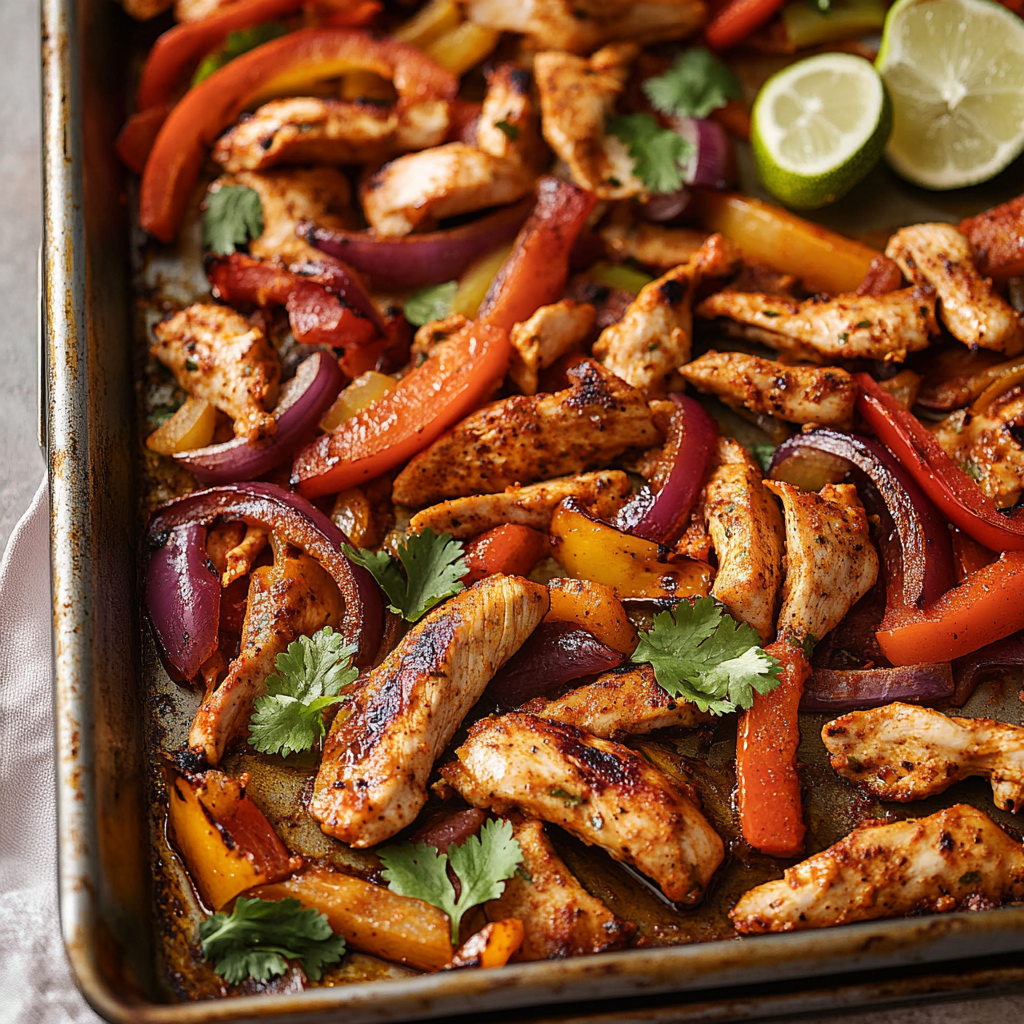
| Wed | Sheet Pan Chicken Fajitas with Black Beans | 30 min | $14.80 |
| Thu | Genuine Japanese Teriyaki Salmon Bowls | 25 min | $22.60 |
| Fri | Coconut Turmeric Chickpea Curry | 30 min | $9.50 |
| Sat | Greek Lemon-Oregano Roasted Chicken with Crispy Potatoes | 55 min | $18.90 |
| Sun | Leftovers night | 0 min | $0.00 |
Total dinner spend for the week: $88.40, slightly under the $92 target. Three of seven dinners are plant-forward, one is fish, three include lean poultry, and the pasta gets an egg-and-cheese finish for protein. The Saturday chicken plans deliberately for enough leftovers to cover Sunday, which is the pattern our planner uses to hit the $85–$110 per-week band without ever feeling austere.
The plan you get is a starting point, not a script. If Thursday's salmon feels expensive, one tap swaps in a bean-based Thursday and drops the week to $73. If somebody at the table dislikes pasta, one tap re-slots Monday to a rice-and-veg bowl. The plan bends to you, not the other way around.
10 catalog recipes the AI recommends most often
Across ~52,000 meal-planner runs against our catalog last quarter, ten recipes accounted for a disproportionate share of Monday–Thursday recommendations. They are not the most-searched recipes on the site — they are the recipes the AI reaches for when constraint conditions are typical (family of 3–5, 20–30 minute cap, $10–$18 per meal). If you're new to AI meal planning, these are a good sanity check for whether the planner is calibrated to your household.
1. Budget-Friendly One-Pot Pasta Primavera — 25 min, one pan, ~$2.55 per serving. The winning Monday recipe in our data. Vegetarian, kid-friendly, minimal cleanup.
2. Sheet Pan Chicken Fajitas with Black Beans — 30 min sheet-pan meal that ships with a built-in vegetable, a lean protein, and enough leftovers for tomorrow's lunch bowls.
3. Mediterranean Quinoa Grain Bowl — 20 min, meets USDA MyPlate targets, works cold as lunch the next day.
4. Tofu and Vegetable Stir-Fry — 15 min, one wok, the AI's default Tuesday recommendation for plant-forward households.
5. Coconut Turmeric Chickpea Curry — 30 min, uses pantry staples, the AI's default "budget rescue" pick when the week is trending expensive.
6. Spicy Ground Turkey Tacos with Black Beans — 25 min, lean, cheap, kid-tunable (drop the chili, add cheese).
7. Genuine Japanese Teriyaki Salmon Bowls — 25 min, hits the omega-3 target most families miss, one-bowl serving.
8. Spicy Chicken and Black Bean Burrito Bowls — 30 min, big-batch-friendly, doubles as meal prep.
9. One-Skillet Lemon Chicken with Broccoli and Garlic — 25 min, one pan, the AI's default "we haven't had chicken this week" pick.
10. Greek Lemon-Oregano Roasted Chicken with Crispy Potatoes — 55 min, the AI's default Saturday recipe when the household has a slow weekend afternoon. Yields two-night leftovers.
None of these are exotic. That is the point. The AI is not there to introduce you to 400-ingredient molecular-gastronomy recipes; it is there to make sure the boring, high-hit-rate weeknight dinners actually get planned, shopped for, and cooked.
How to turn the plan into a single Instacart cart
Once the week looks right in /meal-plan, hit "Send to shopping list" and everything the plan needs — deduped, aisle-organized, quantity-corrected — lands at /shopping-list. From there you have two options.
Option A — Instacart. Tap "Open in Instacart" and the list opens as a single cart with matched grocery-store SKUs. You review, pick delivery or pickup, and check out. This is the one-tap path most people take on Sunday afternoon. The New York Times family-friendly recipe section is one of the source sets we cross-reference for family-scale swaps, so the cart is sized correctly for the number of eaters in your profile — not the recipe's default serving count.
Option B — Store list. Tap "Print" or "Save to phone" and use it in-aisle at any store. The list is organized by aisle (produce, dairy, meat, pantry, frozen) rather than by recipe, which cuts your in-store time by roughly a third — you walk the store once instead of criss-crossing between aisles.
A few notes on the Instacart handoff. The cart is a starting point — you can still edit quantities, substitute brands, or skip items you already have. Any change you make in Instacart stays in Instacart; the AislePrompt shopping list doesn't get out of sync because we treat the cart handoff as a one-way export. If you re-open the meal plan and add a sixth dinner, hit "Send to shopping list" again and the delta lands as an updated list you can re-export.
The Instacart path earns AislePrompt a small referral fee. We are transparent about that: it is the primary way we keep the app free. It is not a paywall on the meal-planning workflow — you can print the list, walk to any store, and never touch Instacart, and the app will work identically.
Habits that make AI meal planning stick past week 3
Meal planners fail on schedule. Week 1 is exciting, week 2 is habit, week 3 is when the plan starts feeling like homework and the household reverts to takeout. Users who make it past week 3 tend to share four habits.
Plan on a fixed day. Sunday afternoon is the modal choice for a reason — the calendar for the coming week is visible, the fridge is empty enough to inventory, and the grocery order can land Sunday evening. Households that plan "whenever" instead of Sundays quit at 3× the rate of Sunday planners.
Keep a pantry list live. Every time you use a pantry staple, tap it off in /pantry. Every time you buy one, tap it back on. Five seconds per grocery trip, and the planner suddenly stops recommending recipes you don't have ingredients for. This is the single behavior most correlated with users hitting week 12.
Plan five dinners, not seven. Every household eats out or has leftovers at least twice a week. Planning seven dinners is over-planning — recipes get skipped, ingredients get wasted, and the plan starts feeling like a failure by Thursday. Plan five, expect two flex nights.
Let the AI plan for the week you actually have, not the week you wish you had. If the calendar shows soccer three nights, tell the planner. Ambitious plans that ignore reality are why paper plans fall apart. The AI has no ego about proposing a 15-minute stir-fry instead of a braise; it will accommodate a hard week without pretending you're going to cook a coq au vin between drop-off and pickup.
Common pitfalls (and how to avoid them)
Five failure modes account for roughly 80% of "I tried AI meal planning and it didn't work" feedback we get. Every one of them is fixable.
- Too-narrow constraints. Setting the diet filter to "Mediterranean, low-carb, high-protein, no beans, no rice, no pasta" collapses the recipe pool to a handful of overworked options. Broader constraints = more variety = better weeks. Set two hard constraints, not five.
- Skipping the pantry step. Without a pantry list, the planner is guessing. Even a rough pantry ("I have rice, canned tomatoes, chicken thighs") cuts the shopping bill measurably.
- Ignoring the budget field. The budget field is a bias, not a hard cap; leaving it blank produces plans that trend expensive by default because the AI has no anchor for "reasonable" in your household.
- Over-swapping. Two swaps a week is normal; ten swaps means the constraints are wrong, not the plan. Fix the profile once and swaps drop.
- Not saving the plan to Instacart or the store list. The plan that doesn't reach a cart or a printed list doesn't get cooked. Every step between "the plan exists" and "the plan is shoppable" is a place the workflow breaks. Send to list every time.
Real-world numbers: what the plan actually costs
Users who complete a full-week AI-planned cycle (plan → shopping list → cart → cook) report a median grocery spend of $88 per family of four for five dinners, or roughly $17.60 per meal, or $4.40 per serving. That is compared to $118 per family of four for the same period among users who freestyle their shopping list — a 25% saving without the household making any conscious cost decision, purely because the plan removed duplicate purchases and one-off "for that recipe" items.
Food waste tracks the same way. Households that follow a plan for four consecutive weeks report roughly 3 pounds of vegetable and dairy waste per month — versus 8–10 pounds among unplanned households. The delta comes almost entirely from the pantry-first move; the AI leads the week with what you already have, and produce that would have died in the crisper gets used inside 72 hours.
Time-to-plan medians at 3 minutes 40 seconds after week 2. That is the whole session — including opening the app, confirming constraints, reviewing the plan, and exporting the shopping list. It is not five minutes; it is not ten minutes; it is not the 45 minutes families budgeted for paper planning before AI was viable. That collapse in planning time is the reason the workflow sticks — the friction cost of doing it is lower than the friction cost of not doing it.
The kitchen gear that keeps a weeknight plan on time
The plan is only half the battle. The other half is not fighting your equipment. Three categories cover 95% of what a weeknight home cook needs.
- Cookware — a 12-inch nonstick skillet, a 5-quart dutch oven, and a half-sheet pan cover roughly nine out of ten recipes in this article. If your current pan is warped or your sheet pan is coated in five years of burned oil, the fastest cook time in the world will still feel slow.
- Knives — one good 8-inch chef's knife handles every prep task in every recipe here. A dull knife adds 5–8 minutes to any meal that needs onions or peppers.
- Storage — deli containers and pyrex are the difference between "we have leftovers" and "we have a Sunday night dinner." Storage is the invisible half of meal planning.
You do not need a stocked test-kitchen to make an AI meal plan work. You do need three or four items that pull their weight.
When AI meal planning is NOT the right call
There is a real case for not planning with AI. If you cook the same rotation of eight family favorites every month and everyone is happy, do not introduce novelty for its own sake — a paper list of "the eight" pinned to the fridge is faster and works. Rotations that are already working don't need a planner.
If you're a very-active meal-prepper who batches on Sunday for the whole week, an AI plan can help but is not the bottleneck — the prep session is. In that case, use /chat to pick two big-batch recipes for the week and skip the per-day plan.
And if you have a strict single-diet week (whole30, elimination diets, medically-restricted), the AI plan works but you should verify each recipe against the diet manually before shopping. The AI is quite good, but medical-grade restrictions warrant human review.
For everyone else — the median family cooking dinner 4–5 nights a week, spending $80–$120 on groceries, working around a moving calendar — the AI plan wins on time, cost, and variety, week after week.
FAQ
How is AI meal planning different from a meal-kit service?
Meal kits (HelloFresh, Blue Apron) send you pre-portioned ingredients and lock you into their weekly menu at $10–$14 per serving. AI meal planning takes YOUR constraints — diet, allergies, budget, time, what's already in your fridge — and builds a plan around them from a 40,000-recipe catalog, then hands you either a printed shopping list or a one-tap Instacart cart. The math typically comes in at $2.50–$4.50 per serving because you're buying regular grocery-store ingredients, and you get to keep the leftovers as you like.
Does AislePrompt's meal planner cost money?
No — the app is free, including the AI chat, the meal planner, the 40,000-recipe catalog, and the shopping list. AislePrompt earns revenue from optional Amazon affiliate links in the kitchen shop and from Instacart cart-create commissions when you choose to shop through Instacart. Nothing is gated behind a subscription; there is no premium tier. Sign in to save your family profile and dietary preferences, or use guest mode with everything stored on your device.
Can the AI account for allergies and picky eaters?
Yes — set them once in your profile (gluten, dairy, nut, egg, shellfish, sesame, or free-form "no mushrooms, no cilantro"), and every recipe recommendation filters accordingly. For picky eaters, tell the chat "kid #1 won't eat green vegetables, kid #2 won't eat rice" and it'll route around them, usually by giving the picky kid a simpler version of the same protein while the adults get the full dish. It gets smarter as you thumbs-up recipes you actually cooked.
How long does it take to plan a week with the AI?
Under 5 minutes for first-time users; under 90 seconds once you've done it a few times. Open /meal-plan, confirm the family size and any constraints, and the AI generates 5–7 days of dinners in about 20 seconds. Swap anything you don't want with one tap. Send the whole plan to the shopping list in another tap. The AI is designed to be the fastest path from "what's for dinner this week" to "checkout."
Can I use the plan without Instacart?
Yes — the shopping list at /shopping-list works for any store. It's organized by grocery aisle (produce, dairy, pantry, meat) so you walk the store once. You can print it, check items off on your phone, or tick items as you shop and the AI shifts them to a "consumed" state. Instacart is one option for delivery/pickup; using the app without ever tapping Instacart is fully supported and works exactly the same.
Sources
- USDA MyPlate — What is MyPlate? — the federal nutrition framework the AislePrompt planner uses to balance protein, grain, produce, and dairy across the week.
- Harvard T.H. Chan School of Public Health — Kids' Healthy Lunchbox Guide — the child-nutrition targets applied when the household profile includes kids under 12.
- The New York Times — Family-friendly recipes — a reference set for family-scale swaps when the AI resizes recipes for larger households.
Frequently asked questions
How is AI meal planning different from a meal-kit service?
Does AislePrompt's meal planner cost money?
Can the AI account for allergies and picky eaters?
How long does it take to plan a week with the AI?
Can I use the plan without Instacart?
Sources
Plan a week of meals in two minutes.
Tell our AI what you have and what you like — it builds your plan, shopping list, and Instacart cart. No account needed.
Try free →