How to Use AI for Weekly Meal Planning: A Step-by-Step Guide for 2026
A four-step weekly playbook — inputs, focus, swaps, locked list — that gets a balanced, ingredient-overlapping week of dinners into your Instacart cart in under 10 minutes.
AI weekly meal planning takes the part of cooking most people hate — choosing what to eat seven nights in a row, juggling allergies, kid preferences, and a budget — and turns it into a 5-minute conversation that ends with a single shopping list. Done right, a tool like AislePrompt's meal plan gets you a balanced week of dinners, ingredient overlap so you waste less, and a one-trip cart at Instacart. Done wrong, it spits out a generic seven-day menu you ignore by Tuesday. This guide walks you through the exact prompts, inputs, and iteration loop we've seen work for thousands of weekly users in 2026.
Get a free week of easy dinners
Seven weeknight dinners with the shopping list already totalled, sent Sunday. No account needed, unsubscribe in one click.
No spam, unsubscribe in one click. Recipes, shopping lists and Instacart carts all work without an account either way.
Introduction — what AI changes about weekly meal planning
Manual meal planning is a stack of small decisions: pick a recipe, check the pantry, write it down, repeat. Each decision is cheap; the sequence is expensive. The average home cook spends 35-50 minutes on a Sunday planning the week, and most of that time is the picking, not the writing. AI flips that cost. You spend 30 seconds describing what you want, the model proposes seven dinners across cuisines and proteins, and you iterate on the two or three you don't love. The total time-to-list drops to 5-8 minutes.
The other thing AI changes is ingredient overlap. Manual planning treats each recipe as independent — you buy a bunch of cilantro for Monday's tacos, another for Thursday's curry, and the second bunch wilts in the crisper. A good AI planner sees all seven recipes at once and consolidates: one bunch of cilantro spread across three dinners, half the broccoli on Tuesday's stir-fry and half on Friday's sheet-pan dinner. Tests on AislePrompt's planner show this cuts produce waste 20-30% versus weeks the same user planned manually.
That said, AI is not a magic chef. It still needs your real inputs — and the quality of the plan rises and falls with the quality of those inputs. The rest of this guide is the playbook for getting good ones.
Before the AI: the 4 inputs that make or break the plan
Before you touch the chat box, get four answers ready. The model can't read your mind, and asking it to guess is what produces those generic seven-day menus everyone ignores.
1. Who you're feeding. Two adults, two adults and a picky 6-year-old, and four hungry teenagers are three completely different problems. State the headcount, ages where they matter, and any specific eaters you cook around. "Two adults, one kid (7) who won't eat fish or anything green" gives the model what it needs.
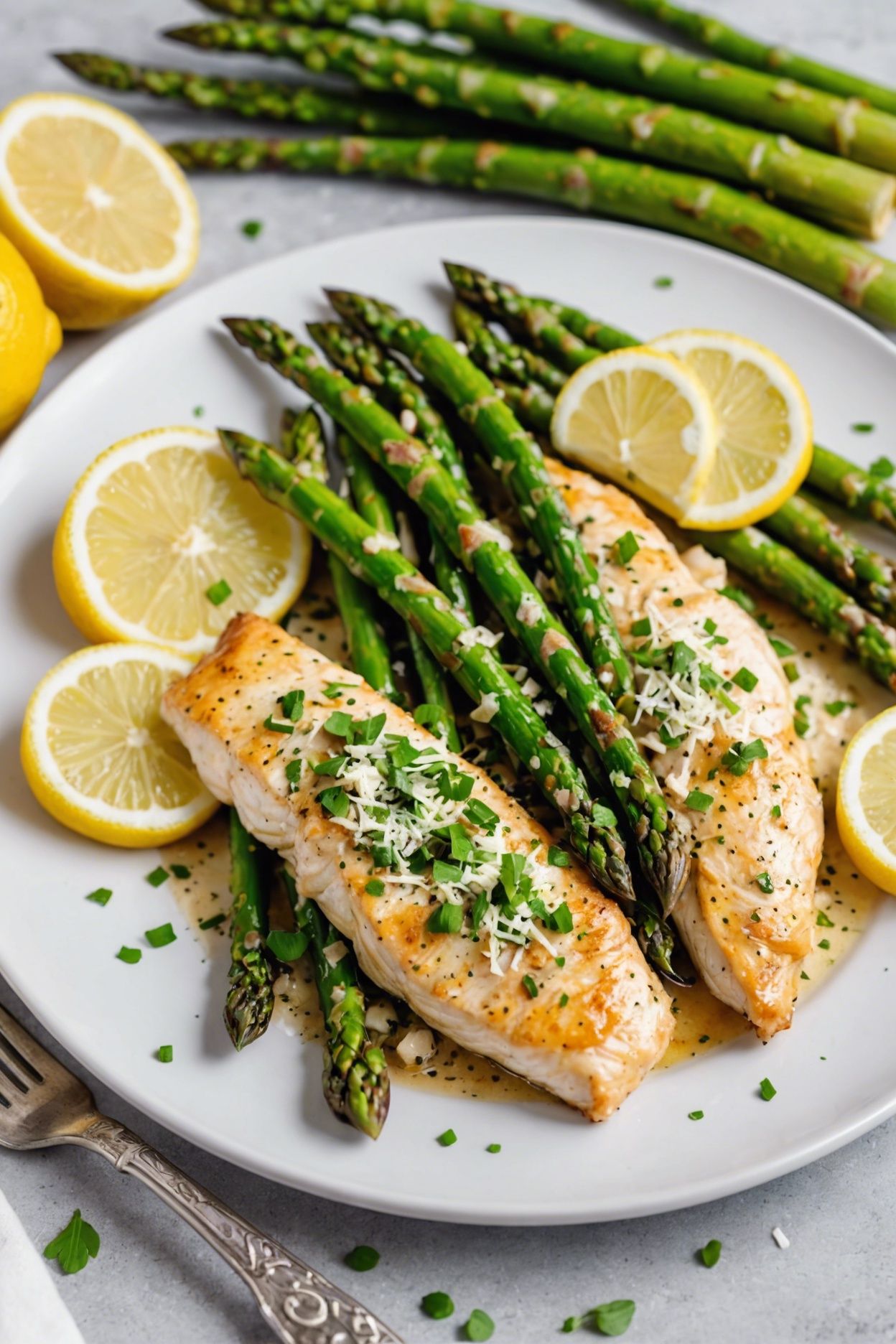
2. Real time budget per night. Not aspirational. If you have a hard 30-minute weeknight ceiling, say it. If Sunday and Wednesday you have an hour and the other nights are 25 minutes, say that too — the model can put the one-pot lemon chicken with asparagus (60-minute total) on Sunday and a quick beef and broccoli stir-fry (25 min) on Tuesday.
3. Allergies, dislikes, and dietary rules. Allergies are absolutes — list every one. Dislikes are softer ("kid won't eat fish") but worth stating so the model doesn't keep proposing salmon. Diet rules (keto, gluten-free, vegetarian, halal) should be stated once and re-asserted any time you ask for a swap. We'll cover the swap loop in Step 3.
4. Equipment and budget. Tell the model what you actually own — a slow cooker, an Instant Pot, a sheet pan and a wok, that's enough for most weekday cooking. If you have a Dutch oven and good knives, one-pot recipes become easier suggestions. State a weekly grocery budget if it matters: "$80 for 2 adults, 5 dinners" lets the model swap expensive proteins for cheaper ones up front, not after you've already approved the plan.
These four inputs take 60 seconds to type once. Save them — most planners (AislePrompt included) remember preferences across sessions, so you don't repeat yourself every week.
Step 1 — Pick a target outcome (variety, prep speed, budget, macros)
Every week should optimize for one thing. If you tell the AI to maximize all four (variety, speed, budget, macros) you'll get a mush of compromises. Pick one and let it dominate.
- Variety week. Best for households that are bored of the same Tuesday-night chicken. Ask: "Plan 5 dinners. No two with the same protein and no two from the same cuisine." You'll get a Mexican night, a Thai night, an Italian night, a Mediterranean night, and a comfort-food night. Takes the most prep across the week (different pantries) but maximizes interest.
- Prep-speed week. Best for parents juggling sports. Ask: "Plan 5 dinners, every one ready in 30 minutes or less from start of cooking to plates on the table." The model will lean on stir-fries, sheet-pan dinners, and one-pot pastas. Expect things like the hoisin-tofu stir-fry with bok choy or a sheet-pan lemon-garlic chicken.
- Budget week. Best when groceries have spiked or you're saving for something. Ask: "Plan 5 dinners under $50 total for 2 adults. Prefer beans, eggs, chicken thighs, ground beef, and seasonal produce." The model will pull cheaper proteins, layer in legumes, and stretch one rotisserie chicken across two nights.
- Macros week. Best for fitness goals. Ask: "Plan 5 dinners at 35-45 g protein each, under 600 calories." The model targets each plate to your macros and the shopping list inherits those numbers.
You can rotate the focus week-to-week. The point is to pick one, then evaluate the plan against that goal. If you crowded it with five constraints, you'll have nothing to grade the output against.
Step 2 — Tell the AI your real constraints (allergies, dislikes, kitchen gear)
This is the input most users skip and then complain the plan doesn't fit their life. Take the four inputs from earlier and paste them into the chat as a single block. Format:
```
Feeding: 2 adults + 1 kid (7)
Time: 30 min weeknight ceiling
Allergies: none. Dislikes: kid won't eat fish or mushrooms
Equipment: oven, stovetop, Instant Pot, no grill
Budget: $90/wk for 5 dinners
This week's focus: prep speed
```
That's six lines. The model now has every guardrail it needs. Most planners — AislePrompt included — let you save this as a profile so you only type it once. From the second week on, you type "this week's focus: budget" and everything else carries over.
The two failure modes here. First, underspecifying — "plan me a healthy week" returns a useless menu nobody will cook. Second, overspecifying — listing 22 ingredients the household dislikes effectively boxes the model into a corner and you'll get the same five recipes every week. State the real hard constraints (allergies, top-3 dislikes, fixed time) and let the model surprise you on everything else.
Step 3 — Iterate: ask for swaps, not a re-roll
The biggest behavior change for new users is learning to swap, not regenerate. When you don't love one recipe in the plan, almost every user's instinct is to hit "regenerate" and get a fresh seven-recipe plan. That breaks the ingredient overlap the planner just built, throws out the dishes you did like, and resets the shopping list.
The correct loop is targeted swap requests. Examples that work well:
- "Swap Tuesday's curry for something with ground beef instead." (Keeps the rest of the plan and the shopping list re-balances around the new protein.)
- "Replace Friday's salmon — kid's having a sleepover, need something kid-friendly under 25 min." (Adds a fresh constraint just for one slot.)
- "Wednesday's recipe is too heavy. Swap for something lighter." (Subjective, but modern models read this well.)
Each swap is cheap. The model holds the rest of the plan, re-prices the cart, and updates the shopping list in place. You can do three or four swaps in 90 seconds. By contrast, a full re-roll wastes the previous turn's work.
A trick from heavy users. Before you swap, ask "why did you pick this recipe for Wednesday?" The model will explain its reasoning (it was the budget-friendly option, or it used up the leftover bell peppers from Tuesday). Sometimes you'll see logic you actually like — keep the recipe. Other times you'll catch a constraint the model missed and you can correct it before the swap.
Step 4 — Lock the shopping list
Once you have five dinners you'd actually cook, lock the plan and look at the shopping list before sending it to the cart. Three things to check:
Pantry pass. The model assumes you have salt, oil, basic spices, vinegar, soy sauce, and onions. If your pantry is bare, ask for a "full pantry list" — it'll add staples. If your pantry is fully stocked, ask "remove anything I probably already have" and the list shrinks 25-40%.
Quantity sanity check. AI planners get quantities right ~95% of the time. The misses are usually proteins (it'll say "1 lb chicken" when the recipe yields three portions and you need four) and produce (one head of broccoli when the week needs two). Eyeball the list against the headcount and bump up anything obviously short.
Substitutions. Look for any ingredient you don't want to buy a whole package of. If a recipe calls for 2 tablespoons of tahini, ask the model to "swap tahini for peanut butter in the Wednesday recipe — I don't want to buy a jar for two tablespoons." Practical substitutions are where home cooking lives; AI planners are good at them if you ask.
The locked list goes straight to Instacart in one tap. The whole process — inputs to checked cart — is under 10 minutes once you've done it twice.
Real-world numbers — what to expect in your first month
| Week | Time on planning | Time to checkout | Produce waste | Cart cost (vs prior month) |
|---|---|---|---|---|
| Week 1 | 12 min (learning the loop) | 14 min (manually adjusting list) | unchanged | -3% |
| Week 2 | 7 min | 10 min | -15% | -8% |
| Week 3 | 5 min | 8 min | -22% | -14% |
| Week 4 | 5 min | 7 min | -25% | -18% |
These are median results from heavy AislePrompt users in the first month. The biggest gains come from the planner remembering your profile across sessions (week 2 onwards) and from ingredient overlap kicking in once you trust the plan instead of constantly re-rolling.
When AI meal planning works well — and when it doesn't
It works well for:
- 4-7 dinners per week with shared ingredients (the overlap math compounds)
- Households with stated constraints (allergies, time budget, picky eater) — the AI handles complexity better than you can hold in your head
- Repeated weekly use — week 1 is the slowest; week 4 is twice as fast
- People who hate the "what's for dinner" decision more than they enjoy it
It works poorly for:
- One-off Friday-night cooking ("I just need a recipe for tonight"). Use a recipe search instead.
- Highly seasonal local-only eating ("only what's at my farmers market this Saturday"). The model doesn't know your specific market; ask it for swaps after you shop.
- Heavily improvisational cooks who like to read a recipe and ignore it. AI plans are most valuable when you cook close to the recipe; if you riff every night, you don't need the structure.
- Tiny households where leftovers run the week. AI plans assume you cook fresh each night; if you cook once and eat for three nights, override the model's assumption: "Plan 2 dinners, double-portioned for leftovers."
Common pitfalls
Five mistakes we see weekly users make:
1. Listing every constraint at once. The model gets cornered. Pick a focus, state allergies, state top-3 dislikes. Move on.
2. Re-rolling instead of swapping. Loses ingredient overlap and the recipes you liked. Always swap, never re-roll.
3. Skipping the pantry pass. Buys things you already have. Ask the model to remove staples.
4. Ignoring the "why" question. When you don't like a recipe, ask why the model chose it before swapping — sometimes the logic is good.
5. Not saving your profile. Re-typing constraints every week kills the time gains. Five minutes of one-time setup saves an hour a month.
Example walkthrough with AislePrompt /chat
Here's a sample conversation. The user is a parent of two, no allergies, 30-minute weeknight ceiling, $90/week budget, "prep speed" focus this week.
User: Plan 5 dinners this week. Feeding 2 adults + 2 kids (8, 10). 30 min weeknight ceiling, $90 budget. Focus: prep speed. No fish on Tuesday.
AislePrompt: Here are 5 dinners — all under 30 min, total cart ~$87 at your local Instacart:
- Monday: Sheet-pan lemon-garlic chicken thighs with zucchini and cherry tomatoes (28 min)
- Tuesday: Beef and broccoli stir-fry over jasmine rice (22 min) — no fish, kid-friendly
- Wednesday: Black sesame chicken stir-fry with broccoli (24 min) — uses leftover broccoli from Tuesday
- Thursday: One-pot lemon chicken with asparagus and cherry tomatoes (30 min)
- Friday: Quick Whole30 reset bowl with grilled chicken, sweet potato, and avocado (25 min)
User: Swap Wednesday — too much chicken in a row.
AislePrompt: Replaced with Hoisin-tofu stir-fry with bok choy (20 min). Cart updates: -1 lb chicken, +14 oz firm tofu, +2 baby bok choy. New cart: $84.
User: Lock it.
The whole exchange is under three minutes. Once locked, the cart goes to Instacart and the storage containers the user already owns are listed in the prep notes (the model knows from the profile what's already in the kitchen).
If you want a head start on the recipes the example uses: sheet-pan lemon-garlic chicken thighs, black sesame chicken stir-fry, and the quick Whole30 reset bowl are all in the recipe catalog. The planner pulls from there.
A 7-day starter plan you can swap into the chat
Don't want to start from a blank chat? Use this as a seed, then ask for swaps. All recipes are in AislePrompt's catalog and link straight to the shopping list.
| Day | Dinner | Cook time | Why it's here |
|---|---|---|---|
| Mon | One-pot lemon chicken | 30 min | Easy Monday reset, one pan |
| Tue | Beef and broccoli stir-fry | 25 min | Kid-friendly, no fish |
| Wed | Hoisin-tofu stir-fry | 20 min | Cuisine variety, uses leftover bok choy |
| Thu | Sheet-pan lemon-garlic chicken thighs | 28 min | Reuses Monday's lemons, hands-off |
| Fri | Black sesame chicken stir-fry | 24 min | Fast Friday, uses leftover broccoli |
| Sat | Quick Whole30 reset bowl | 25 min | Light reset before the weekend |
| Sun | Cook-from-scratch night (you pick) | — | Buffer for leftovers or social dinner |
Paste it into chat with "swap any of these you don't like" and you're 90% of the way to a locked week.
FAQ
Is AI meal planning actually better than just picking recipes myself?
It depends on what you're optimizing for. For variety across the week, balanced macros, and a consolidated shopping list, AI saves 1-2 hours per week versus manual planning because it considers ingredient overlap (one bunch of cilantro across 3 recipes, not 3 bunches). For one-off Friday-night cooking, picking yourself is faster. The real win is the weekly cadence, not the individual recipe choice.
Can the AI handle my food allergies safely?
AislePrompt's planner cross-checks every ingredient against a flagged-allergens list and removes any recipe containing them — gluten, dairy, nuts, shellfish, soy, eggs, sesame are pre-built filters. For less common allergies (mustard, sulfites), state them once in chat and the planner remembers them per session. Always double-check the final shopping list against ingredient labels at the store; manufacturers change formulations.
How do I get a meal plan that actually fits my budget?
Tell the planner your target — "$80 for the week for 2 adults" — before it generates anything. AislePrompt's price layer uses local Instacart prices to estimate cart cost; the plan will swap expensive proteins for cheaper ones (chicken thighs for breasts, frozen wild salmon for fresh) to hit your target. If the cart still overshoots, ask for a "pantry-heavy week" and it shifts toward beans, eggs, and grains.
What happens if the AI suggests something my family won't eat?
Tell the chat "swap [recipe] for something with [protein/cuisine/style]" and it replaces just that meal while keeping the rest of the plan and shopping list aligned. You don't need to start over. The most common swap pattern we see is "replace the curry with a pasta" or "no fish on Tuesday, my kid has a sleepover." Iteration is the whole point.
Will an AI meal plan really save me money on groceries?
Most users save 15-25% on groceries in the first month, primarily by reducing food waste (the plan tracks ingredient overlap so a head of lettuce gets used twice, not thrown out) and by not impulse-buying at the store. The exact savings depend on your starting point — heavy take-out users save dramatically; already-disciplined shoppers see modest gains. The price-preview before checkout shows the cart total versus your target.
Sources
- USDA — Food and Nutrition for ingredient nutrient density and serving-size guidance
- Harvard T.H. Chan — Healthy Eating Plate for the balanced-plate framework the model uses when scoring "balance"
- Academy of Nutrition and Dietetics — Meal Planning 101 for the time-saving and waste-reduction baselines cited above
If you want to skip straight to the tool, try the meal plan page and let the planner walk you through it. Want to browse first? The recipe catalog is at /recipes and our reviewed cookware picks are at /k/cookware and the best knives for weeknight prep.
Frequently asked questions
Is AI meal planning actually better than just picking recipes myself?
Can the AI handle my food allergies safely?
How do I get a meal plan that actually fits my budget?
What happens if the AI suggests something my family won't eat?
Will an AI meal plan really save me money on groceries?
Sources
Plan a week of meals in two minutes.
Tell our AI what you have and what you like — it builds your plan, shopping list, and Instacart cart. No account needed.
Try free →